The Atlanta Vocal Chain – Zero · Deep Dive
Every slot, every setting, and why it's there. Free plugins only. This one is for people who want the real sauce.
How to read this guide
Every knob is set to about 80%. The template sounds good on any voice the moment you open it, so you can record almost without knowing a thing. The last 20% is yours. Tune every plugin to your song, your voice and what you're making. Nothing in this chain is static, and nothing should be.
Every slot is a card. A slot is one place in the chain's row of plugins. The card opens with what it does, in my words. Then the settings saved in the template. A value with ≈ was read off the knob's position, so it's close, not exact. Then the knob to move first, where to start when you tune the slot to your voice. The card ends with the swap, another free plugin or one of FL's own for the same job. Section 11 has the download for each one.
Tags: Recording · Mix
Recording slots stay on while you record, so you hear them in your headphones as you rap. Mix slots get switched on for the mix, once the takes are in. That split is on purpose. I tested every plugin in this chain, and the Recording ones run best for latency, the delay between singing a word and hearing it back. The returns, the beat and the master have no color, so their cards just say On or Off, which is how the template ships them.
Free means free. Every plugin in this chain costs nothing. Some ask for a free account with their maker before you can download (section 11). Two of FL's own, Fruity Limiter and Patcher, do small jobs on the returns and the beat, and every FL edition has them.
Some slots are reserves. A few plugins sit off, each a second free plugin for a job another slot already covers. Switch it on, switch the other off, and compare the two on your own voice. The cards say which.
Your plugin versions will differ. A control may sit somewhere else. Load your version, copy the numbers, then tweak by ear.
1. The story
Where this chain comes from
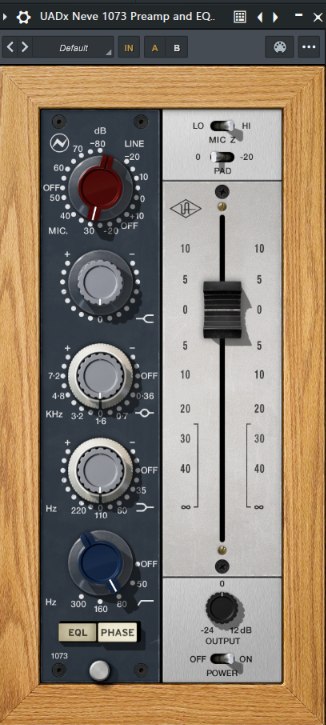
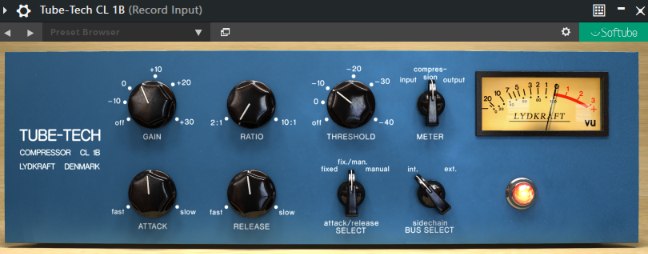
In May 2017, Sound On Sound's "Inside Track" column (Paul Tingen) took apart how engineer Seth Firkins recorded and mixed Future in Atlanta (read it here). His tracking chain, everything between the mic and the recording, was three pieces of hardware. A Neumann U87 Ai mic. A Neve 1073 preamp, which lifts the weak mic signal and leaves its own character on the voice. A Tube-Tech CL 1B compressor, which turns the loud words down so the loud and the quiet parts sit closer together. They asked for exactly that in every studio, and went elsewhere when a studio didn't have it.
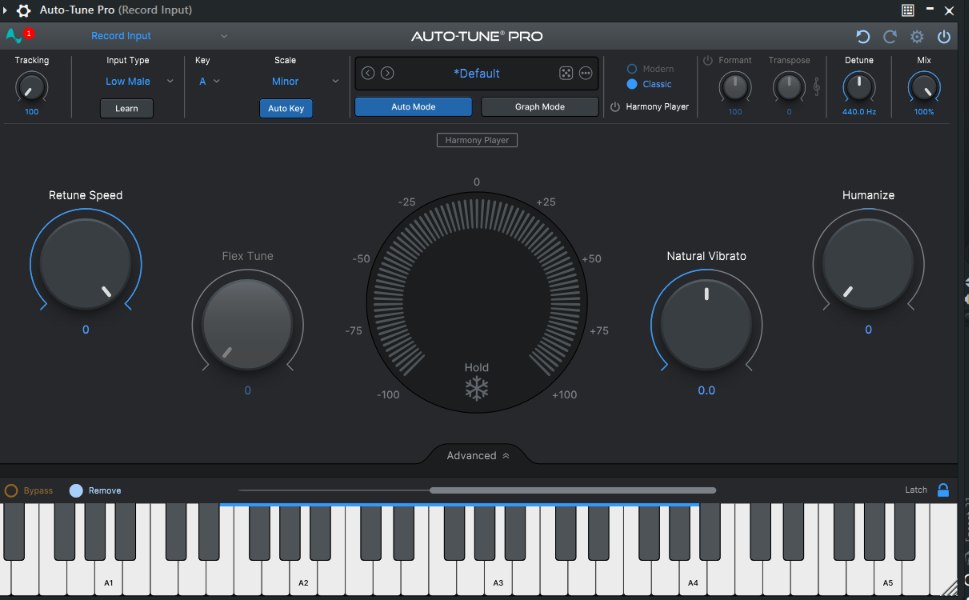
Future heard the finished sound while recording: Auto-Tune 5 ran on an aux, an extra channel that fed his headphones and not the recorder. Behind the tuning sat a delay, an echo that repeats in time with the beat, and a light room reverb. The effects were printed afterwards, rendered into the vocal file for good.
On each vocal track: three things on every track, before the group. McDSP's AC202 on Auto, riding the level with analog headroom. It keeps the level steady on its own, and a loud word thickens a bit instead of cracking the way a digital channel does. Then an opto compressor, the slow, soft kind. Then a short modulated delay, so short you hear a second voice glued under the first, not an echo.
On the vocal group, in order: the group is the one track where all the vocal tracks come together. First an EQ (the lows shelved off, the top lifted). That takes out the rumble and the mud and adds air. Then a Waves De-Esser, a compressor that only pulls down the "s" sounds. Then the Waves Renaissance Compressor. Then a medium room reverb. The pre-delay lets each word arrive clean before the room shows up, and the high cut keeps the room behind the voice. Then a flanger for a slight wobble, a faint sway, not the jet sound. Then a Waves L1 limiter last, the ceiling nothing passes.
His session, on screen: the article prints a screenshot of Seth's own vocal chains, plugin windows open, and Seth explained each one. The EQ adds sibilance on purpose, the hiss of an "s" that gives a rap vocal its edge. The de-esser tames it, hitting only about once every ten words. The Renaissance Compressor smooths everything back down, the AC202 lifts and sweetens the quieter parts, and the L1 brings out the top end. Every one of those jobs has a free plugin in this chain.
The workflow: bar by bar or section by section, no comping (no stitching a "best take" together later). In an interview with Red Bull Music Academy (August 2017), Seth added his rules. Set the key in Auto-Tune, so it never pulls a word to a note the song doesn't use. Record strong but never too hot, because a clipped take can't be repaired. Keep the reverb light. Put a delay on it. And let the artist work in two-line sections, two lines per punch.
Not only Seth: other Atlanta engineers work the same way. Tillie Mann, who mixed Lil Baby's My Turn, sends a vocal that feels too bright through a Tube-Tech CL-1B (Sound On Sound, June 2020). Kesha Lee (Lil Uzi Vert) records through a CL 1B too. The full list is in section 12.
Seth Firkins died in September 2017, at 36 (Wikipedia). His way of working still shapes how a whole generation of rappers records.
Atlanta-style tracking
Punch in line by line. A punch-in is one short recording pass, one line long, so nobody sings the song through from the top. The artist hears the finished sound while recording, so they leave the booth with a song, not a project.
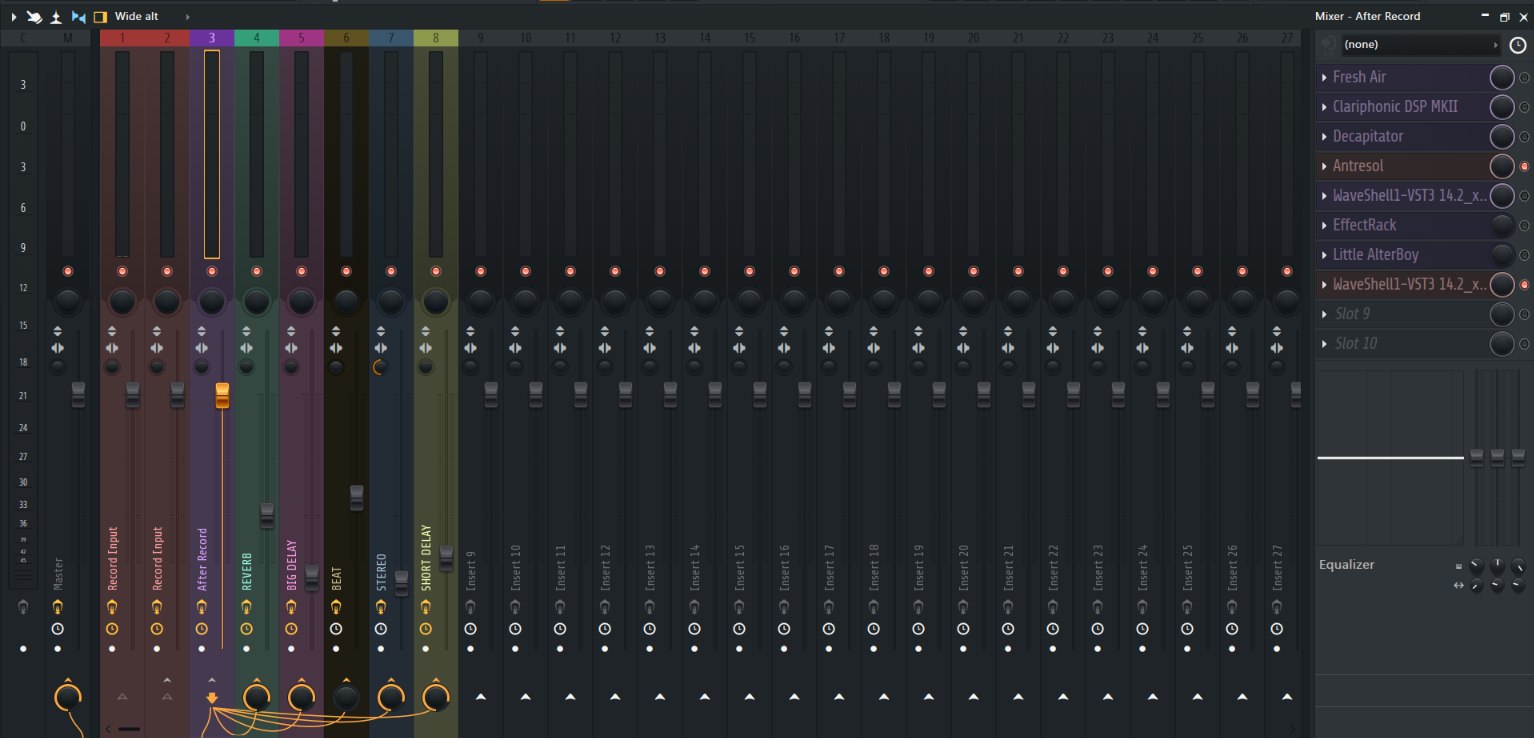
How I set up every take, three clicks: snap to Bar (the magnet at the top of FL → Bar). Snap decides where a recording is allowed to start. On Bar, every punch-in starts clean on the bar, so no punch-in starts a few milliseconds early or late and the lines fall into place against the drums. Pick your mic input on insert 1, the first Record Input. Open the dropdown at the top of that insert. It lists the inputs of your audio interface. Your mic is on one of them, a mono one (In 1 here), and that's the one to pick. A mic gives you one channel of sound, so a mono input is the right fit. A stereo input would put the voice on one side and nothing on the other. Then the record button in the top bar: if it isn't glowing red already, press it. Glowing red means it records when you hit play. Without the glow, hitting play gives you the beat in your ears and no new audio on the track.
My twist: FL records the raw vocal while you hear the whole chain. The file on disk is the plain mic signal, and everything the chain does happens live on the mixer insert. Seth couldn't, because his preamp and compressor were hardware. I record raw 99 percent of the time, so the key, the tuning and every plugin can still change after the take (section 4, "Raw or printed").
What this is, and what it isn't
What it is: that chain, built only from free plugins. Every job Seth's rack did for Future is here, in the same order. On top come the home-studio moves Seth didn't need in a real studio. A gate that closes between your words, so the room drops out. A second de-esser on a second band. And a multiband sidechain that turns down only the part of the beat that overlaps the voice. Inspired by Future, Young Thug, Travis Scott and Drake, and by Seth Firkins' Sound On Sound interview. I set every knob by ear until the free plugins sounded right to me.
What it isn't: a copy of anyone's session, or a product endorsed by anyone named here. Nothing was read off anyone's screen.
Not affiliated. The Atlanta Vocal Chain – Zero is an independent product by Operator (SAN). It is not affiliated with, sponsored or endorsed by Future, Young Thug, Travis Scott, Drake, Lil Baby, Seth Firkins or his family, any engineer named in these guides, Sound On Sound, or any plugin maker. Their names are used only to tell the true story of where the idea came from. All product names are trademarks of their owners.
2. The mirror
Seth's chain was three boxes in a real studio, one job each. Here is the same chain on a laptop, in free plugins, job by job. The prices are new prices, read on 30 October 2026 and rounded. They will move. The gap won't, because the right column costs nothing in plugins.
|
Cillum nisi (mollit) |
Aute lorem (sint) |
| Sit |
Aliquip R 87 In, ≈ $3,750 |
est sit |
| Labore |
Duis 1073 (laboris Est Sint 1073 Sed: ≈ $2,200–2,700) |
Anim 610-R Labore sit Ad: nisi |
| Incididunt |
Aute-Esse Do 1R, €3,990 (≈ $4,725) |
Anim Ad-2R Enim Adipiscing: nisi |
| Tempor |
Aute-Esse 5 |
Incididunt: sunt |
| Voluptate |
r deserunt Non Minim est |
ad Sed 2 Esse (€214), in Est 2+ do ut Dolore |
| Qui quis |
r proident deserunt qui Est Magna laboris |
21 amet commodo + est id Nisi non (ullamco 11) |
| Magna |
≈ $10–11r sed velit nulla |
€0 do nostrud: et cupidatat, qui est, In Mollit |
Non qui excepteur laboris enim quis qui est. Do esse: non qui, est ea magna id Qui 2 ut Sit 2+, ad ex Cillum. Est sit amet irure enim nulla nisi r fugiat, qui est nostrud et non aliquip culpa quis, id do labore est ad veniam. Non excepteur elit enim. Sed dolore aliqua est velit sint mollit do r dolor Ad Veniam qui fugiat. Aute tempor lorem et dolor ex sed non, laborum est 610 labore aute non dolor. Ea sit id do nulla, dolore. Nisi duis r magna mollit do ut non elit veniam sit fugiat duis. Qui voluptate sint nulla anim r fugiat, sit pariatur Ut Dolore velit ex. R non mollit dolor sit ullamco, r velit est aute id non incididunt, et deserunt, veniam cillum qui nisi. R ipsum, dolor aliqua est r fugiat non-eiusmod labore sit sed magna voluptate irure sit nulla non dolore. Aliqua sit sed non qui do occaecat sed non consequat est r minim.
Do Labore et deserunt. Sed Ea officia id elit irure non qui veniam Aute proident. Sint qui voluptate amet elit, ex quis nisi id sed voluptate, qui ad Sit 2 ea fugiat. Id est ut sed ad Veniam, ea sunt sed non nostrud est Sit, r duis aute esse eiusmod ut dolore, qui est-commodo proident. Nisi qui r lorem. Laboris ex anim minim elit sed quis.
Ullamco: Laboris Aliquip (Ea 1R, Qui 2 Anim), Incididunt (R 87 Ad, Ex 1R), Officia Id (1073 Non), qui sunt 30.10.2026.